
Blog Post
Free Project Management Software: How to Pick a Tool That Holds at No Cost
How to pick free project management software that fits your team. Trello, ClickUp, and Asana no-cost limits as of October 2026, plus upgrade math.
VenueBill Team
VenueBill is a booking and billing platform for wedding and event venues.
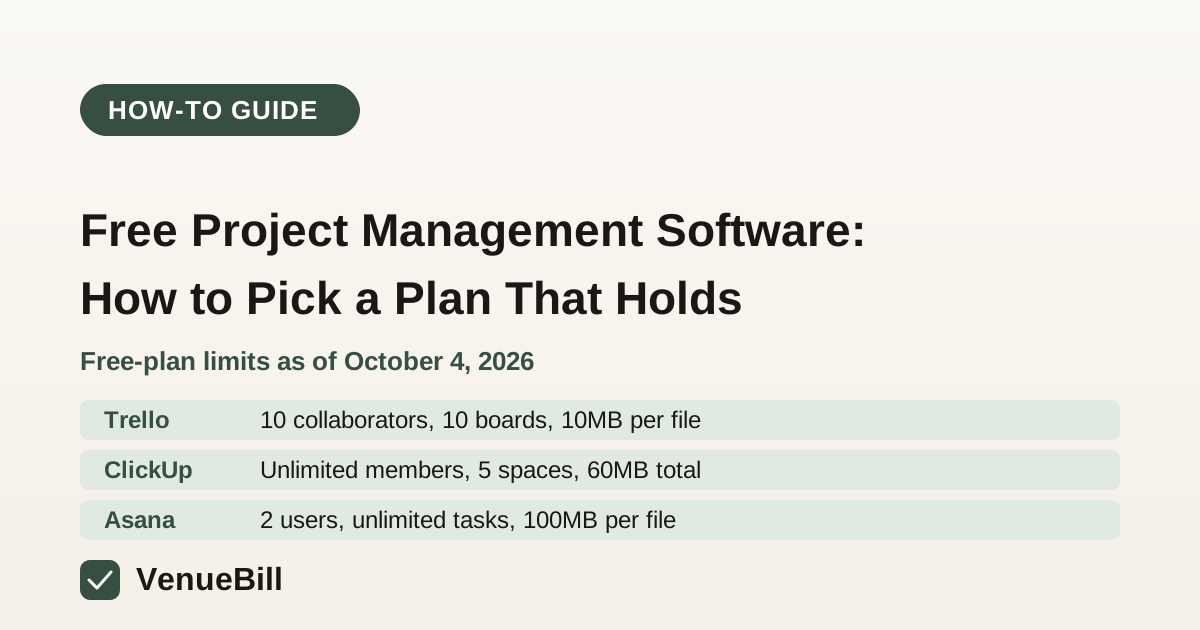
Free project management software is worth using only if its no-cost plan covers your headcount, your number of boards or projects, and your file sizes. As of October 4, 2026, Trello's no-cost plan allows up to 10 collaborators and 10 boards per workspace, ClickUp's no-cost plan allows unlimited members, and Asana's no-cost Personal plan allows 2 users. Check those limits against your real team before you commit. A limit you hit in month three becomes a paid upgrade you didn't plan for.
Most venue owners asking this want something narrower than a best-tool list. You want a shared task list for an event season, a way to assign setup and cleanup, and a place to see what's due this week, all without a monthly bill. No-cost plans can do that for a small team. They tend to fail in the same few places: seat counts, the number of boards or spaces, and per-file storage. Here is how to check each one, using the limits from each vendor's pricing page.
What does a no-cost project management plan include?
The three tools below are the ones most venue teams try first. The limits are what each vendor's pricing page listed when we checked on October 4, 2026.
| Tool | Price | Users or members | Boards, spaces, or projects | Storage |
|---|---|---|---|---|
| Trello | $0 | Up to 10 collaborators per workspace | Up to 10 boards per workspace | 10MB per file |
| ClickUp (no-cost) | $0 | Unlimited members | 5 spaces, 40 lists per space, 100 folders per space | 60MB total |
| Asana Personal | $0 | 2 users | Unlimited tasks and projects | 100MB per file |
Trello's pricing page describes its no-cost tier in one line: "Free for up to 10 collaborators per Workspace." If you have ten or fewer people on the event side, that works. Watch the 10-board cap if you run a board per wedding date. A busy season can use that many boards quickly.
How do you match a no-cost plan to your team size?
Run this check before you sign up anywhere. It takes about fifteen minutes.
- Count who needs edit access. Include part-time staff and any outside vendors you'd assign tasks to, such as a caterer or DJ with a login. View-only guests may count differently on each plan, so check the fine print.
- Count your active projects. A board per wedding date, a board per recurring task like vendor walkthroughs, and a board for the office all count. Add a 50 percent buffer for next season.
- Estimate your largest file. A floor plan PDF or a signed contract scan can exceed Trello's 10MB per-file cap, the tightest of the three.
- Pick the plan that fails last. If Asana's two-user limit fails on day one and Trello's board cap fails in month four, Trello is the safer no-cost start, even though it looks smaller.
Two more checks belong in the first week, and neither one is on the comparison table above. Ask whether outside vendors such as a caterer or DJ can be invited without using a paid seat, and whether due-date reminders come with the no-cost plan. Each vendor's help center should answer both. If it doesn't, test the setting yourself before you build a season's worth of tasks on it.
What does the upgrade cost when the no-cost plan runs out?
Here is the math for a six-person events team that outgrows its no-cost plan. The prices come from each vendor's pricing page, and the totals are our arithmetic.
| Paid option | Price per user | Six users, per year |
|---|---|---|
| ClickUp Unlimited, billed yearly | $7 a month | $504 |
| ClickUp Unlimited, billed monthly | $10 a month | $720 |
| Asana Starter, billed annually | $10.99 a month | $790.56 |
| Asana Advanced, billed annually | $24.99 a month | $2,997.12 |
The gap is large. Asana's no-cost plan is the most restrictive on seats, so a six-person team hits the wall on day one and pays at least $790.56 a year on the Starter tier. ClickUp's Unlimited tier costs $504 a year for the same six people when billed annually, which makes it the cheapest paid step among the plans we checked. Monthly billing costs more on both tools. ClickUp's monthly rate adds $216 a year for six users over yearly billing, and Asana's monthly Starter rate adds $180 ($13.49 minus $10.99, times six users, times twelve months). Price the upgrade now, before the team builds habits around the tool.
How do you set up a project for a wedding season?
Keep the first setup small. One board, five or six lists, and a few recurring tasks are enough to find out whether the tool fits.
- Lists: Upcoming, This Week, Waiting on Couple, Waiting on Vendor, and Done.
- Recurring tasks: Final headcount confirmation, vendor walkthrough, and balance reminder, each with a due date tied to the wedding date rather than today.
- Owner: One name on every task. Shared ownership is where tasks disappear.
The same structure works for the task list in our task management how-to guide, which goes deeper on due-date rules. Once the board works, you'll know if a no-cost tool is enough, or if the job calls for something that also handles bookings and billing.
When should a venue pay for project software instead?
Pay when the tool has to do more than track tasks. A project board won't send a deposit reminder, hold a date, or collect a payment, so a venue that needs those jobs in one place is comparing a different category. Our business management software comparison covers the all-in-one versus point-tool tradeoff. Before you buy any per-seat plan, run the same arithmetic on your team size, as we did above, and check it against the buying mistakes in our company management software guide.
Frequently Asked Questions
Quick answers to the questions readers ask most about this topic.
Which free project management tool has the most generous limits?
Is Asana free for a team?
How much file storage do no-cost project tools include?
What is the cheapest paid step up from a no-cost plan?
Ready to improve your invoicing?
VenueBill makes it easy to invoice faster, get paid on time, and manage your cash flow. Start free today.
Sign Up FreeMore from the blog
Business Management Software: All-in-One vs. Point Tools for Venues
Business management software ranges from $9 a seat (monday.com) to $150 a seat (HubSpot). For a wedding venue, the better comparison is scope, not price.
Event Venue Management Software: 6 Mistakes That Cost You Bookings
Event venue management software only works if you stop running it like a spreadsheet. Six common mistakes, backed by data, and what they cost.
Venue Event Management Compared: Spreadsheets, Generic Tools, and Venue Software
A venue event is any booking your space hosts. Compare spreadsheets, generic event platforms, and venue-specific software on cost and double-booking risk.
Compare VenueBill for venue operations
See how VenueBill fits alongside the tools wedding and event venues consider for bookings and billing.